
Features
Attendance
AvailableStaff clock in on the smartphones they already carry, at the office and nowhere else. No fingerprint or card machine to buy, hours add up honestly, and the month's attendance is a report rather than an argument.
14-day free trial · No card needed
What it does
No machine at the door
There is nothing to buy or repair. Each person installs the free AfriBMS app on their own Android or iPhone, or signs in from the phone's browser, and taps clock in. No fingers to scan, no cards to lose or lend, and a new branch is a pin on the map rather than another device.
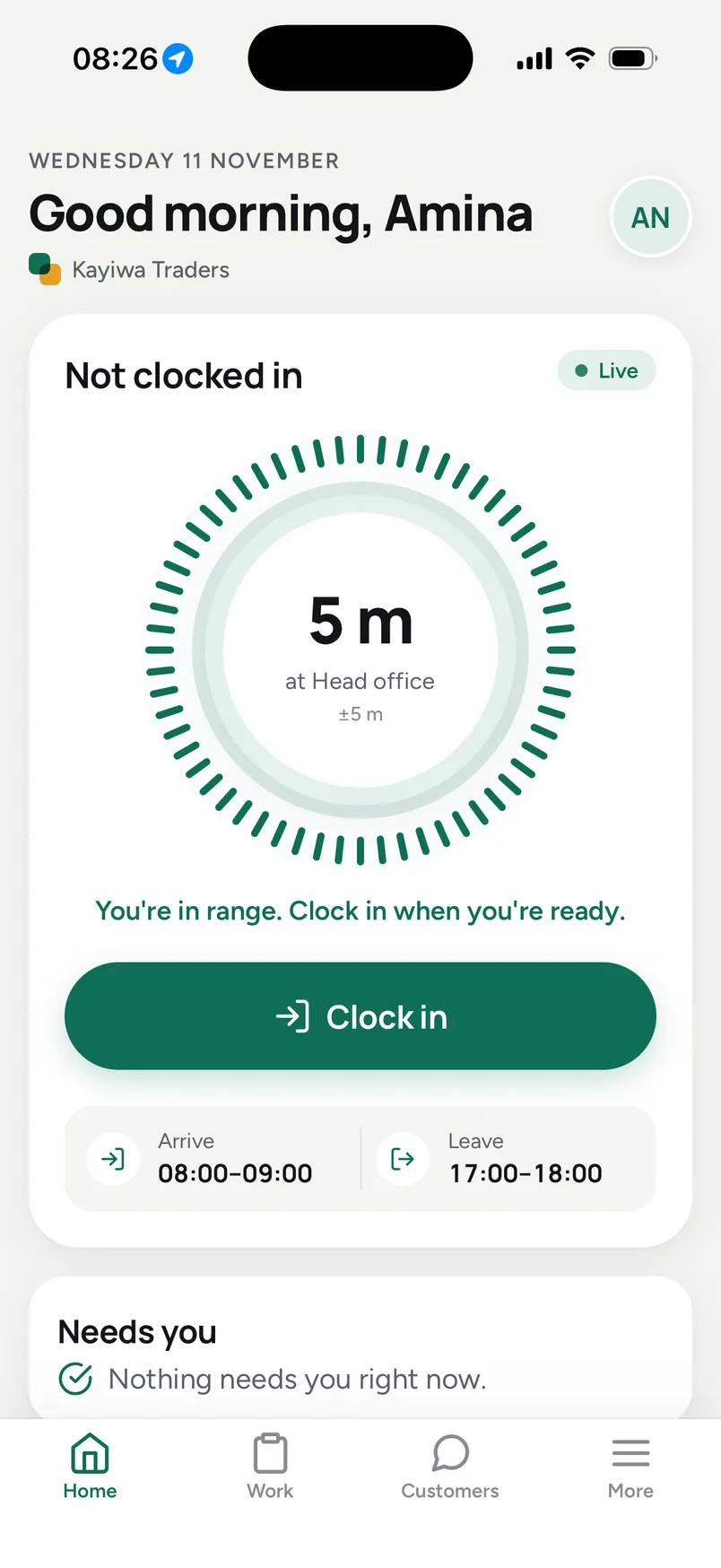
Clock in only at the office
Add your locations with a radius. The server measures the phone's distance to the nearest one and refuses a clock-in from outside it, saying how far away the person is. A client-side claim of being in range is ignored.
Clock out from anywhere, on the record
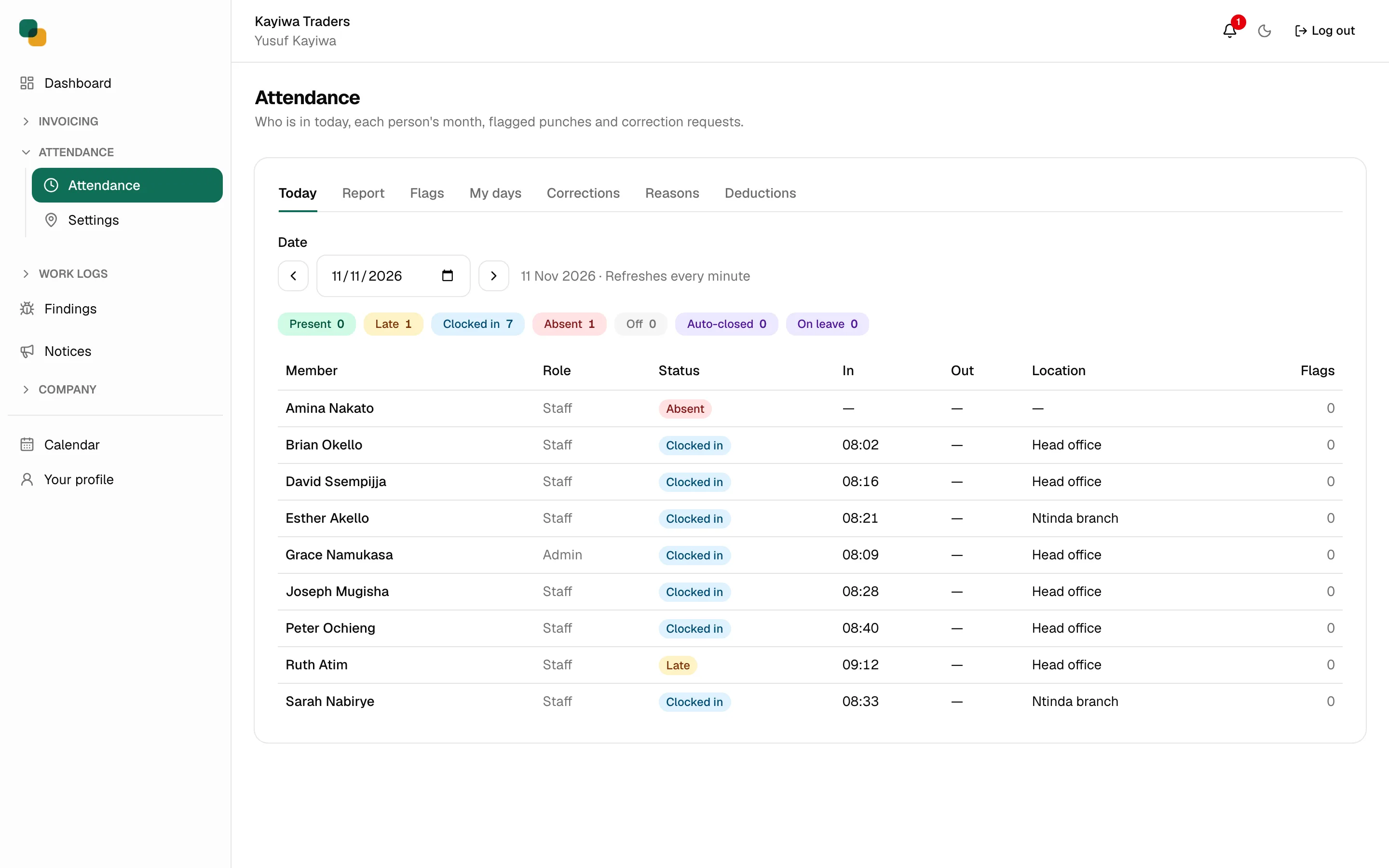
Leaving for a site visit must not strand an open day, so clock-out works wherever the person is. Being off-site is recorded as a flag for review, never blocked.
Late, early and on time, by your hours
Set the arrival and departure windows for your company. Every punch is classified in your time zone, and a forgotten clock-out is closed at your auto-close time and marked as an assumption rather than counted as a full day.
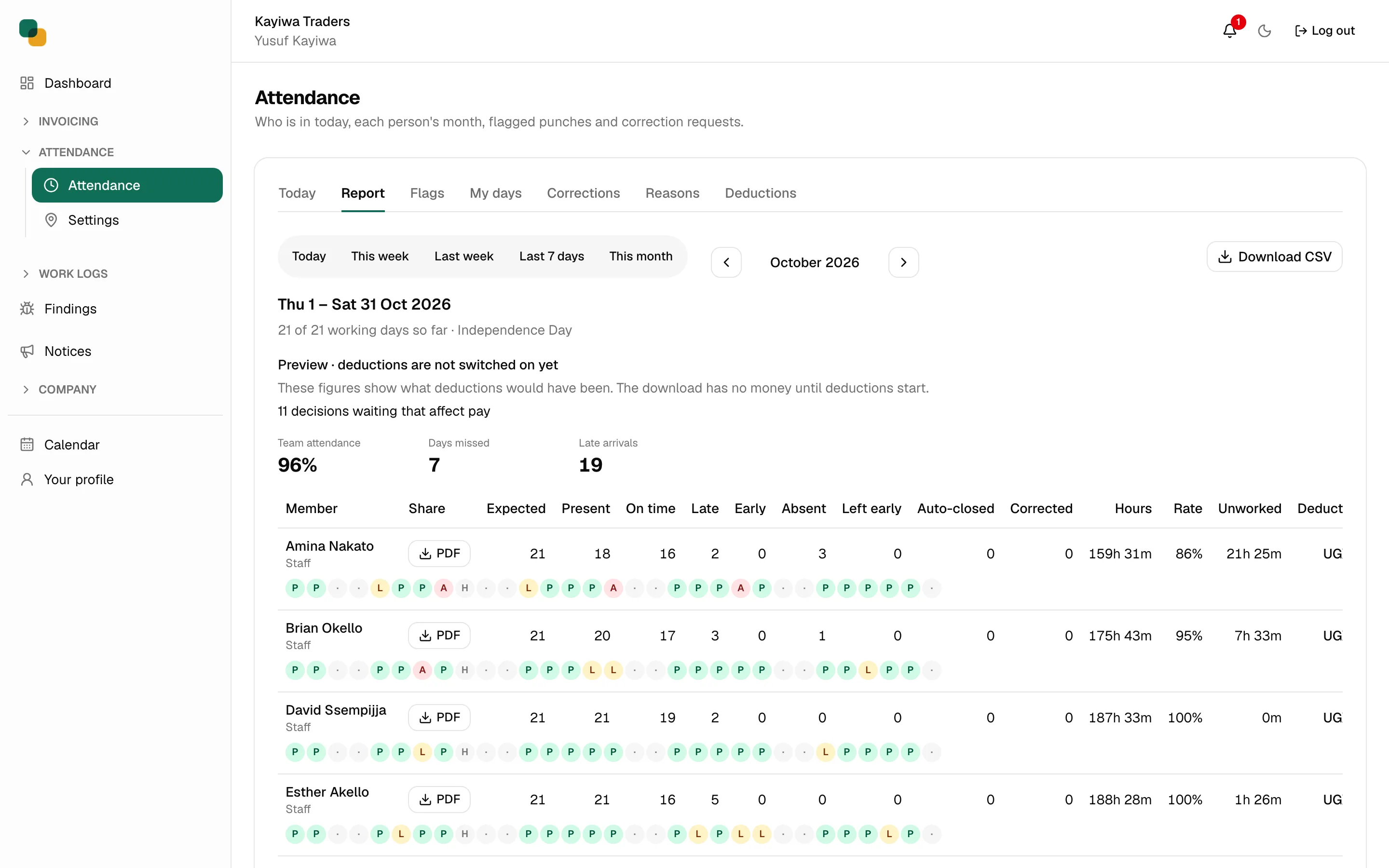
Weekends and public holidays are never absences
Your country's public holidays are seeded for the year, Easter included, with the moon-sighted ones marked provisional until you confirm them. Someone who joined on the 15th is not absent for the 1st to the 14th.
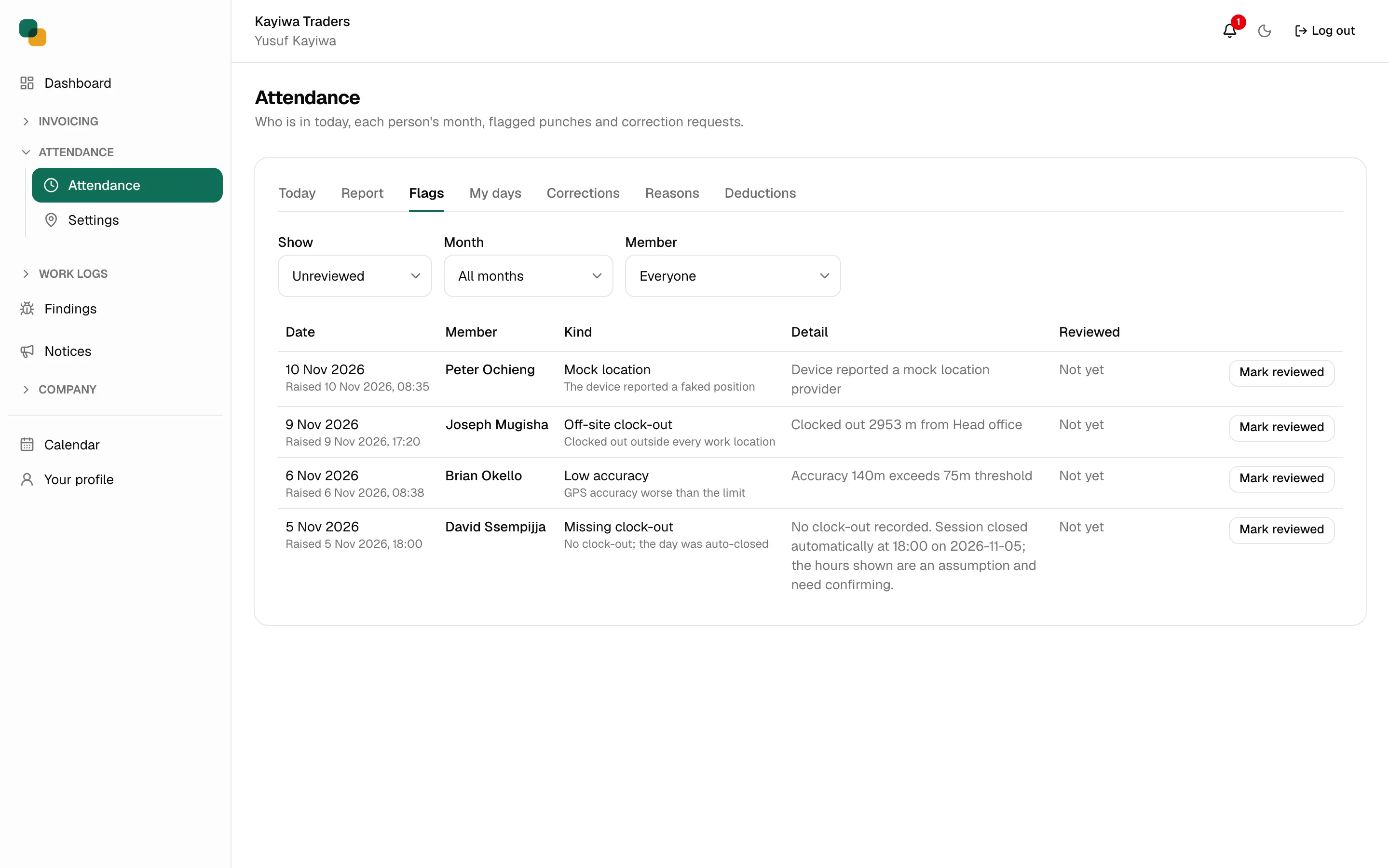
Spoofing is visible
Mock-location apps, coarse GPS and impossible journeys between punches raise flags that a reviewer sees. Nothing is penalised automatically. Between punches the phone is not followed: if you turn on the work-site check, it records only when a phone leaves the work site and when it returns, never where it went.
Who it is for
- Offices, clinics, schools and shops where the day starts when the team is physically there.
- Owners who are tired of paper registers and of arguing about who came in when.
- Businesses whose fingerprint reader is broken, slow or one more thing to maintain.
- Teams on a phone rather than a laptop, on Android or iPhone.
Questions about Attendance
Do we need a fingerprint or card machine?
No. Staff clock in on their own smartphones, Android or iPhone, with the AfriBMS app or in the browser. You set up your office locations and working hours, and that is all the equipment there is.
Do my staff have to install an app?
Only if they want to. The free AfriBMS app is on the App Store and Google Play. Anyone who would rather not install anything signs in at app.afribms.com in their phone's browser instead. Either way, the phone asks once for permission to share its location.
Does it track my staff all day?
No. The phone reports a location only at the moment someone taps clock in or clock out. There is no background tracking, and nothing is stored outside those two punches.
What if someone forgets to clock out?
The day is closed automatically at the auto-close time you set, marked as auto-closed and flagged, so the hours are shown as an assumption for a reviewer to confirm rather than silently trusted.
Can I have more than one location?
Yes. Add every branch or site with its own radius; people clock in at whichever one they are at, and the record says which.
Start using Attendance with your team
Create your company, invite your staff and switch it on in Settings, under Modules. Your team uses it from the AfriBMS app on their phones.
14-day free trial · No card needed